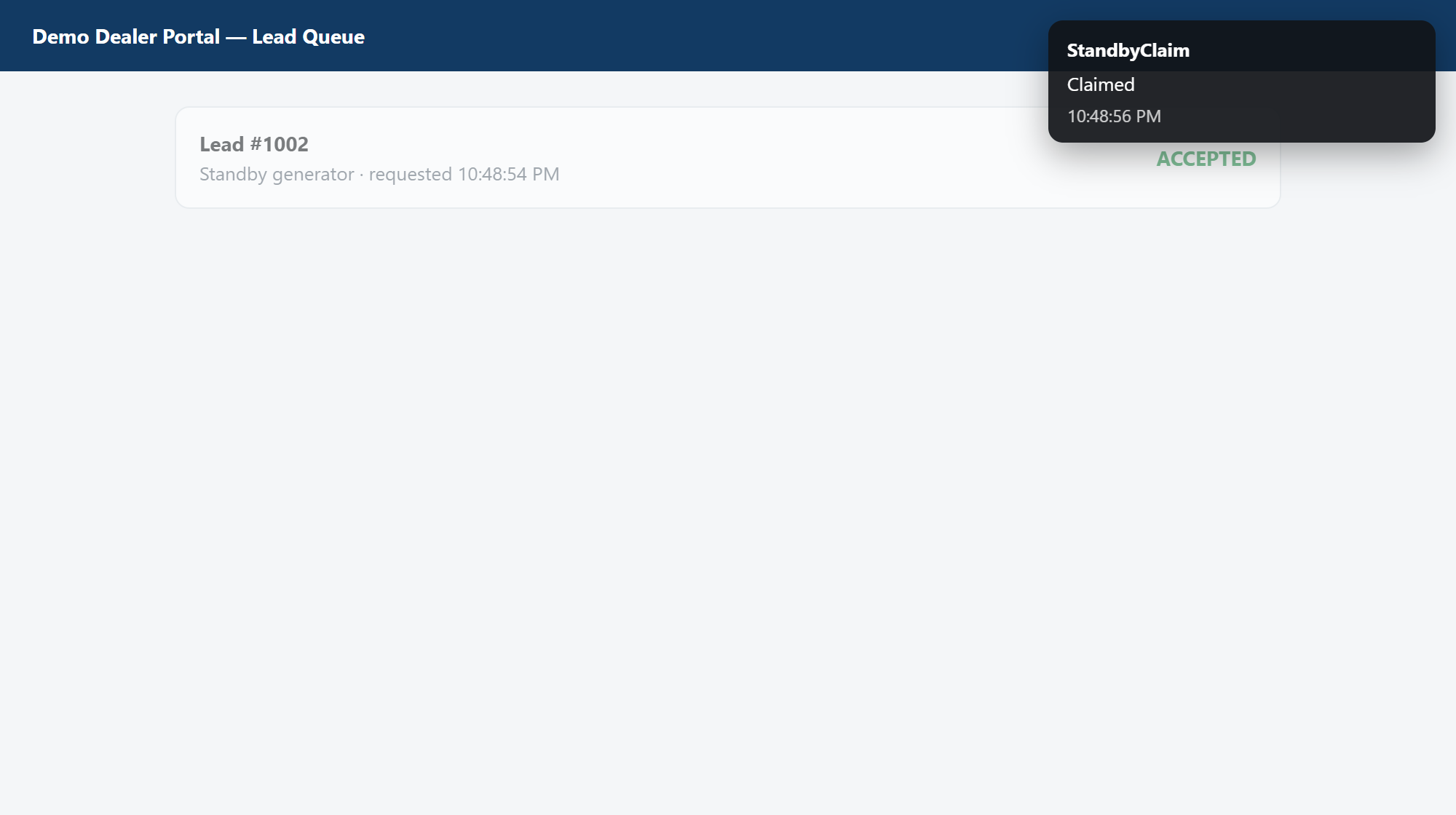
The queue doesn't sleep. You do.
Leads go to whoever clicks first. That's the whole game. It doesn't reward the best electrician in the county, it rewards whoever happened to be holding a phone.
So you check the portal at a red light. You check it at dinner. You check it from the top of a ladder with one hand. And the one that came in at 3:47am went to somebody else before you'd finished your coffee.
Dealers describe the same job in public: someone has to watch the queue at all hours just to press one button before another shop does. The repeated complaint StandbyClaim is built to remove
No, and you shouldn't have to. That's the job this does.
Do the math on one lead
The other tool for this charges a signup fee, then bills you every time it catches something. We charge one flat price and stop counting.
- Or $100 a month for every single zipcode
- A good month costs you more
- They hold your portal password
- Every zipcode you cover
- Two leads or twenty, same price
- We never see your password
Your portal password stays with you
A hosted lead claimer needs a way into the portal from its server. StandbyClaim works from the browser you already use.
StandbyClaim never sees your login. It works inside the Chrome you're already signed into, on the computer in front of you. There's no account with us, no server, and the extension makes no network calls at all. Open the network tab and watch it stay empty. We built the release so it won't even package if somebody adds one.
| The alternative | StandbyClaim | |
|---|---|---|
| Your password | Hosted tools need portal access. Their servers act from outside your browser. | Never asked for. It runs in your own signed-in browser. |
| Price | $125 to sign up, then $50 a lead. Or $100 a month per zipcode. | $149 a month, flat. Every zipcode. |
| When it runs | The hours you schedule. | From the second you log into your computer. Close every window and it keeps going. It reopens the page itself if it's gone. |
| Where it runs | A remote server using the access you gave it. | Your computer, as you. |
Catch the lead without stacking up ten callbacks
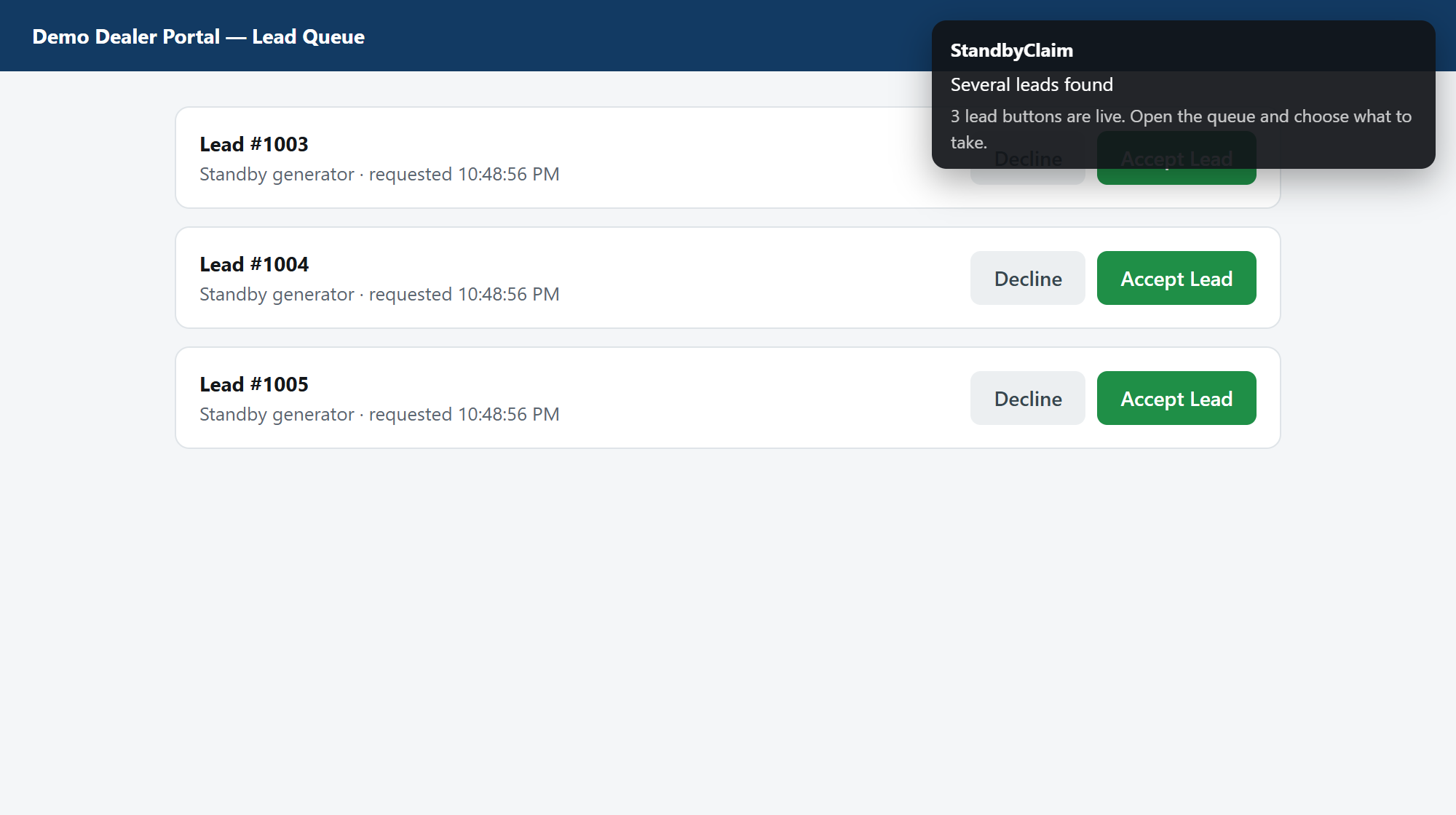
You set the hourly limit. Each claim uses a varied pause, with a longer range after hours. When several leads land together, StandbyClaim pauses and alerts you.
Catch the work your shop can handle without hammering the page or waking up to callbacks your team cannot make.
Three leads land at once. You stay in control.
Built for the score that decides who sees the next lead
Getting there first matters. So does what happens after the claim. StandbyClaim helps you win the click without wrecking the close rate that feeds your next one.
Claim what your team can call
Set the hourly limit to the work your shop can handle. You get speed without waking up to a board full of late callbacks.
Catch every lead your tier sends
Your dealer tier decides which leads reach the queue. StandbyClaim keeps sleep, a roof, or dinner from costing you the leads that make it there.
Keep your password where it belongs
There is no StandbyClaim login. The extension works inside the Chrome session already open on your computer. We never ask for your portal password.
Close the tab. Keep watching.
Leave the shop computer on and signed in. StandbyClaim can reopen the page from the Chrome tray and keep checking every thirty seconds.
One price. Nothing per lead.
Your licence key lands in your inbox within a few minutes. Cancel any time from the link on your receipt. Installing it, teaching it your button and running the practice claim all work before you pay, so you can watch it work with your own eyes first.
$149 is charged each month until you cancel. By subscribing, you agree to the terms and have read the privacy policy.
Set up in about five minutes
It's a direct download rather than a Chrome Web Store listing, so there's one extra step the first time. That also means you can read every line of what you're about to run.
- Download the extension and unzip it somewhere you won't delete by accident.
- Open chrome://extensions, switch on Developer mode top right, hit Load unpacked, and pick the folder you just unzipped.
- Sign into your dealer portal the way you always do.
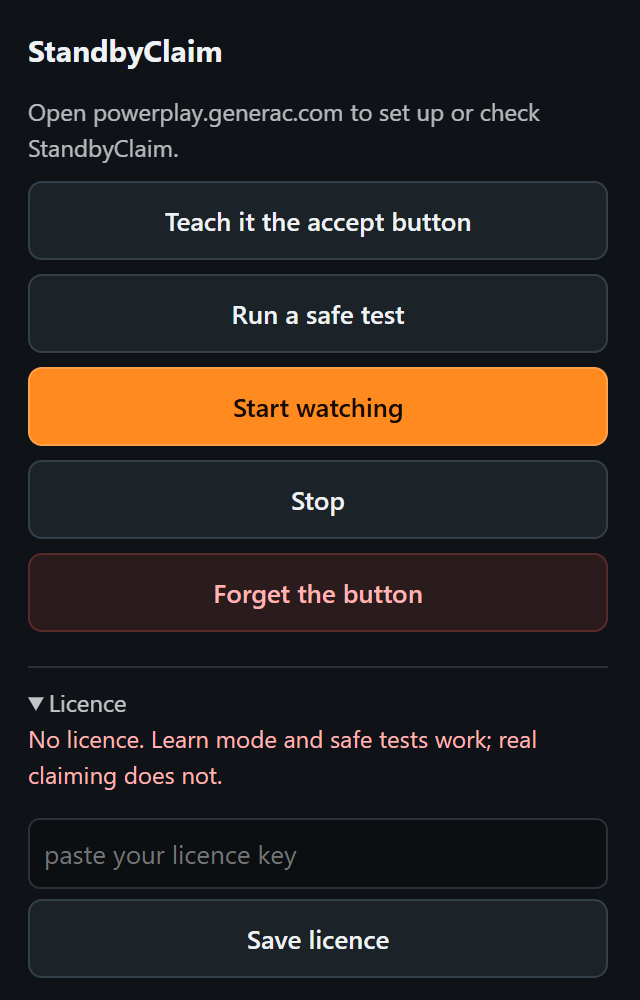
- Hit Teach it, then click your claim button once. It remembers that button.
- Hit Run a safe test. It puts a practice button on the page and claims that one instead, so nothing real gets touched. Everything to this point is free.
- Open Licence, paste the key from your email, press Save licence.
- Hit Start watching. Now close the tab, close the window, and go do your job.
Because you teach it your button instead of us hard-coding it, a change to the portal is a thirty second fix on your screen instead of an outage for everybody.